The headset
Which headset do you need?
Step into your drawing is an app for Meta Quest 3 and Meta Quest 3S, from the Meta Horizon Store. The Quest 3S costs just over three hundred euros and works on its own: no computer, no cables. You only need a phone to photograph the drawing.
The app is for users aged 13 and up. A parent or guardian sets it up and manages purchases. Younger children draw on paper and can watch along on a phone, tablet or TV by casting the headset's view.
Moving with your hands
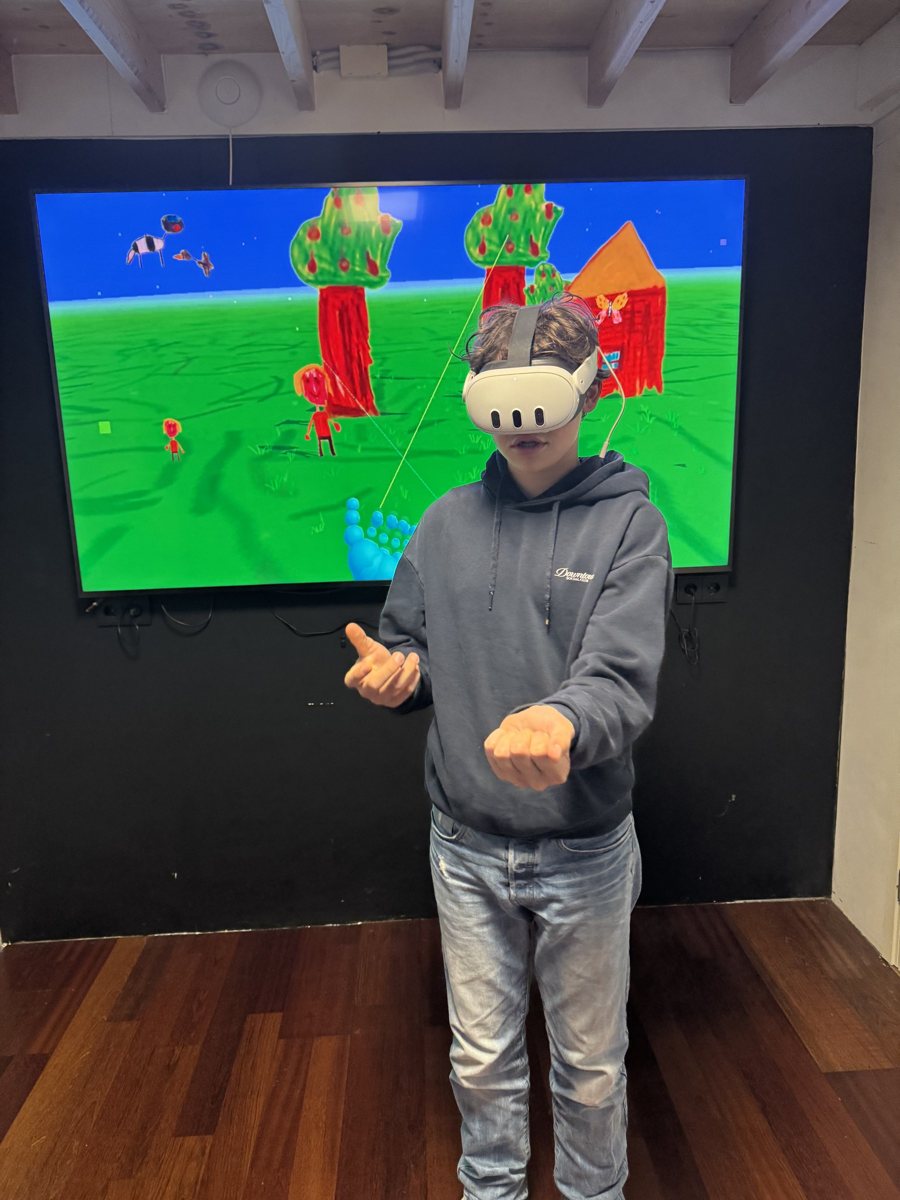
You don't need controllers. Put them away, and the Quest shows your hands. Hold your hand relaxed, a little on its side, so your thumb can brush along the side of your index finger — like swiping on a tiny touchscreen. Both hands work the same way.
| Do this | What happens |
|---|---|
| Swipe your thumb forward along your index finger | You glide forward. Swipe again to keep going. |
| Look up (or down) and swipe forward | You fly up (or down) — high enough to reach the sun. |
| Swipe your thumb back | A small step back. |
| Swipe your thumb left or right | You turn a little. Or simply turn your body. |
| Point at the ground, pinch and let go | You jump to that spot. |
| Point at a card or button and pinch | You choose a world or press the button. |
| Pinch the little "Back to the gallery" sign on its pole | You return to your family gallery. |
Moving with controllers
| Left thumbstick | Walk. |
| Right thumbstick | Left/right to turn, up/down to fly. |
| Trigger | Choose a world, press a button, or point at the ground to jump there. |
Stopping
In a world, pinch (or press the trigger on) the "Back to the gallery" sign. In the gallery, choose ✕ Exit. You can always leave with the Meta button, or by looking at your palm and pinching.
Tips for a good first time
- Clear a space of about two by two metres, or play seated on a swivel chair.
- Keep the first sessions short — ten to fifteen minutes is plenty.
- Good light helps the headset see your hands.
- Stay close by the first time and watch along on a phone or TV.